Available Across Victoria – Contact Us Now!

Available Across Victoria – Contact Us Now!
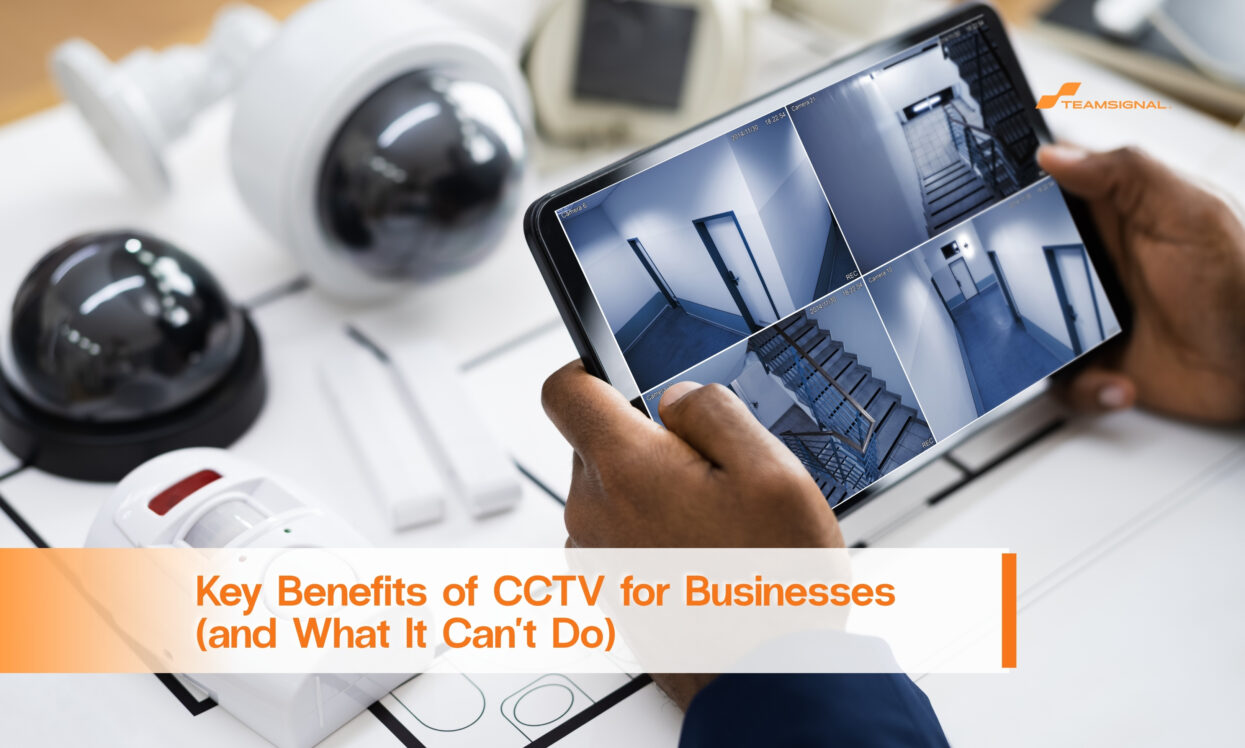
Most people picture CCTV as a camera that stops crime. That is only half right. A camera records what happens. Whether it prevents anything depends on who is watching, how it is set up, and what happens next.
We're a full service security provider in Australia, and we install and monitor CCTV for Melbourne businesses. This guide covers the real benefits, the limits nobody mentions, and the Victorian rules you need to follow.
The biggest benefit of CCTV is proof. Without footage, a break-in becomes your word against nobody's. With it, you can show police what happened, when it happened and how many people were involved.
Good evidence depends on quality. A camera that captures a dark blur at 2am is not evidence. Before you buy, check that cameras cover entry points at a resolution that can identify a face or a number plate, in the lighting the site actually has at night.
Footage also helps with insurance claims and disputes. A time-stamped record of a slip in the car park or a delivery that never arrived settles arguments quickly. Keep in mind that footage only helps if it is stored properly and can be found fast.
Victoria Police advises businesses to install cameras and a monitored alarm system, and to display signs showing that a security system is in place. Signs and visible cameras tell an opportunist that the site is being watched.
That is useful, but it has limits. A determined offender who has planned a job will often cover their face or ignore the camera. Deterrence works best on casual, spur-of-the-moment crime. It works least on organised or motivated offenders.
The honest summary is that cameras make your site a harder, riskier target. They do not make it untouchable.
An unmonitored camera tells you what went wrong after the fact. A monitored camera system can flag an event while it is happening.
Monitoring comes in different forms. Some systems send an alert to your phone. Others connect to a professional monitoring centre that checks the signal and can send help. The difference matters. A phone alert at 3am only helps if you are awake, nearby and willing to act.
If you want a response, you need someone to attend. That is where alarm response and patrols come in, and it is why we treat CCTV as one part of a system. Our guide to CCTV and alarm upgrades explains how to check whether your current system is monitored at all. Many owners assume it is when it isn't.
Modern systems let authorised staff view cameras from a phone or computer. That helps owners who manage more than one site, travel often or want to check a delivery area without driving across town.
Remote access also creates a responsibility. Use strong passwords, limit who can log in, and remove access when someone leaves. A camera system with weak access controls can become a privacy problem of its own.
CCTV can help show how an accident or incident happened, which makes it easier to fix the cause. It can also help staff feel safer in car parks, loading areas and cash-handling zones.
Be careful with this benefit, though. Using cameras to watch staff raises privacy questions we cover below. The best use of CCTV for staff safety is covering risk areas, such as entry points and car parks, rather than monitoring people at their desks.
This is the part most guides leave out.
A camera can't stop someone entering your site. It can't challenge them, lock a gate or call the police by itself. It can't tell you the alarm was a false trigger or a real threat unless a person looks at it. And it can't replace a physical presence when a site needs one.
That is why we often recommend CCTV alongside other layers. Our comparison of CCTV vs mobile patrols shows when each one works best and when you need both. Some sites need a camera. Some need an officer who walks the perimeter. Many need a mix.
Getting CCTV wrong can create legal trouble, so a few points are worth knowing. This is general information, not legal advice. Check your own situation with a qualified adviser.
Private activities. Under the Surveillance Devices Act 1999 (Vic), it is an offence to use an optical surveillance device to record or observe a private activity without the consent of the people involved. Employers are prohibited from using optical or listening devices in workplace toilets, bathrooms, change rooms and lactation rooms.
Audio. Recording private conversations is heavily restricted. A camera that also records sound can raise issues because of the audio, not the pictures. Switch audio off unless you have taken proper advice.
Privacy law. Some businesses are covered by the Privacy Act 1988 (Cth), and others, such as many small businesses, are exempt. Footage that identifies people can count as personal information, so it is worth knowing which group you fall into.
Signs and staff. Put clear signs at entries and tell your staff what the cameras cover and why. This is good practice even where no specific rule demands it.
Footage handling. Decide how long you keep footage, who can view it and how you will respond if police ask for it. Write the decision down.
We don't publish fixed prices because every site is different. The main cost drivers are the number of cameras, the quality of the cameras, the amount of storage, whether the system is monitored, and how much cabling the building needs.
Installation matters too. In Victoria, security equipment installation is a licensed activity under the private security regime, so ask any installer for their licence details and check them on the Victoria Police public register. Our maintenance guide also explains why servicing matters. A camera that is out of focus or has failed storage is worse than none, because you think you are covered.
The same camera system rarely suits every business. Here is how the priorities shift.
Retail. The goal is usually to cover the shop floor, the till area and the back door or loading area. Staff entries after closing are a common weak point. Make sure the camera at the till shows faces clearly, not just the top of heads.
Warehouses and industrial sites. These sites have more entry points and bigger perimeters. Cover gates, roller doors, loading docks and any fenced yard. Night performance matters most here, so ask to see sample footage recorded after dark, not just in daylight.
Offices. Focus on reception, entry doors, car parks and any room that holds equipment or records. Keep cameras out of private areas and meeting rooms unless staff have been told and the setup has been checked.
Multi-tenant buildings. Shared spaces such as lobbies and car parks need clear rules about who owns the system and who can view footage. Agree this in writing before the first incident, not after.
A few problems come up again and again.
The first is cameras pointed at where the site used to be, not where it is now. Layouts change and cameras stay put. The second is footage that overwrites itself too quickly. By the time someone notices an incident, the recording is gone. The third is nobody being responsible for the system. When no one checks the cameras, a failed drive or a blocked lens can go unnoticed for months.
The fourth is treating the camera as the whole plan. A camera with no alarm, no monitoring and no response gives you a record of the problem, nothing more. Spend a little time on a simple routine. Check the image from each camera once a week, test playback once a month, and review coverage whenever the site changes.
Start with the risks, not the products. Walk the site at night and note where people could enter, where valuables are kept and where the lighting is poor. Then place cameras to cover those points.
Choose quality over quantity. A few well-placed, high-quality cameras beat a dozen low-grade ones. Add lighting where needed, because cameras need light to see.
Finally, plan what happens when something goes wrong. Who gets the alert? Who attends? How is the footage saved? A system with answers to those questions is worth far more than one without.
Victoria Police publishes business premises security tips covering locks, lighting, monitored alarms and cameras.
CCTV is a strong tool for evidence, deterrence, remote visibility and safer sites. It is not a guard, and it doesn't respond on its own. The best results come from good cameras, proper monitoring and a plan for what happens next.
If you'd like help working out what your site needs, our CCTV and alarm team can assess it with you. You can also get a quote based on your own premises.
Do I have to tell staff about CCTV?
There is no single Victorian rule that spells out the exact notice, but it is good practice to tell staff what the cameras cover and why. Avoid cameras in toilets, change rooms and similar areas, which the law prohibits for workplace surveillance.
Can CCTV record audio?
Be very careful. Recording private conversations is restricted under Victorian law. Turn audio off unless a qualified adviser confirms you can use it.
How long should I keep CCTV footage?
There is no single figure that suits every business. Decide a period that fits your risks, write it down, and keep footage longer when it relates to an incident.
Is CCTV enough on its own?
For many sites, no. Cameras record but don't respond. Pairing them with monitoring, alarm response or patrols gives you a way to act.
How much does a business CCTV system cost?
It depends on the number of cameras, image quality, storage, monitoring and installation. A site assessment is the only reliable way to price it.



 1300 893 606