Available Across Victoria – Contact Us Now!

Available Across Victoria – Contact Us Now!
Your alarm system detects the activation. Your monitoring and response arrangements determine what happens next.
If you are comparing alarm systems for your business, the wired versus wireless question comes up early. Neither option is automatically better. As a full service security provider in Melbourne, we see both types installed across Melbourne shops, warehouses and offices. The right pick depends on your building, your budget and how long you plan to stay in it.
This guide sets out what each type actually does on site, where each one tends to fail, and the questions worth asking your installer before you sign anything.
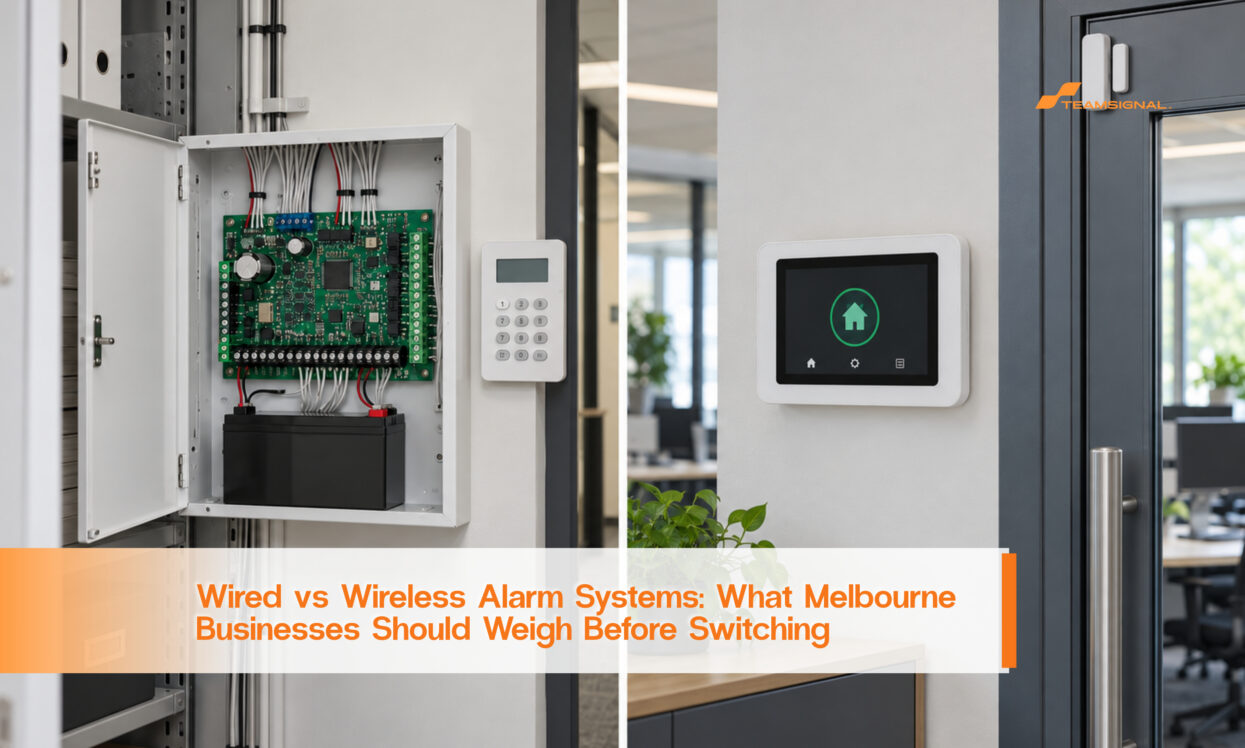
A wired system runs a cable from each sensor back to the panel. The door contact on your stockroom, the motion sensor in your office and the glass break detector in the showroom all speak to the panel down a copper line.
Wired sensors typically draw power from the panel rather than individual sensor batteries. The system's backup battery still needs maintenance. Detection of cut or damaged wiring depends on the panel, zone wiring and configuration, so ask your installer which faults the proposed system can detect and report.
The trade off is installation. Cable has to be run through walls, ceilings and conduit to reach every sensor. That work is priced on labour hours and your building's layout. A fit out with exposed brick, heritage detailing or a short lease can turn a simple sensor run into a longer job.
A wireless sensor talks to the panel over radio instead of cable. Each one runs on its own battery. Installation is mostly mounting the sensor and pairing it with the panel.
Wireless can reduce installation work where running sensor cables is difficult or disruptive. It may suit leased premises or changing layouts, but suitability depends on the selected equipment, coverage requirements and site testing rather than a fixed zone-count threshold.
Wireless performance depends on the equipment's radio frequency, installation position and building materials. Concrete and metal can reduce signal strength. A site survey should test communication at each proposed sensor location and assess potential interference. Features such as frequency hopping depend on the selected equipment and should be confirmed with the installer.
Battery-powered wireless sensors need ongoing battery maintenance. Battery life varies by model, settings, usage and operating conditions. Confirm the manufacturer's expected replacement interval, how low-battery and communication-loss alerts are reported, and who acts on them. Include replacement batteries and servicing labour when comparing total costs.
Many modern panels accept a mix of wired zones and wireless receivers. This suits a building that already has cable run to some areas, such as an older warehouse with a wired perimeter, but needs a quick wireless extension into a new fit out. A hybrid install is more complex to plan. It usually benefits from a site visit rather than a phone quote.
A Dandenong warehouse tenant with an eight year lease asked us to compare both options. The building had reinforced concrete walls and twenty six zones across two floors. A wireless quote came in lower upfront. It also carried an estimated battery and callout cost over the lease term that, once added up, sat close to the wired quote. The concrete walls also meant several sensors needed repeater units to stay reliably connected.
A Mornington retail tenant on a two year lease faced the opposite case. The shop had nine zones and plasterboard walls. A wired quote meant cutting into a fit out the landlord expected back in original condition at lease end. Wireless avoided that cost entirely, and the battery replacement cost over two years was small next to the saved install labour.
Neither outcome is a rule for every site. Both examples show why the lease length and the wall material matter more than a general preference for one technology.
| Factor | Wired | Wireless |
| Install speed | Slower. Cable run through walls and ceilings. | Faster. Sensors mounted and paired. |
| Ongoing power | Sensors typically use panel power; system backup batteries still require maintenance. | Battery-powered sensors need replacements at model-specific intervals. |
| Fault detection | Wiring-fault detection depends on zone supervision and configuration. | Low-battery and communication-loss reporting depend on the equipment and configuration. |
| Best suited to | Permanent, long term premises you own or hold a long lease on. | Sites where reduced cabling is useful, subject to capacity and signal testing. |
| Upfront cost | Higher, mostly from installation labour. | Lower upfront, but battery and labour costs add up over time. |
Large sites with dense walls or metal racking need careful assessment before wireless equipment is recommended. Zone capacity, signal coverage, maintenance requirements and installation costs vary by system. A wired or hybrid design may suit some premises, while a properly specified wireless system may suit others. Base the recommendation on site testing and the proposed equipment.
It is also the wrong choice if nobody on your team checks battery alerts. A flat sensor battery does not announce itself the way a tripped alarm does. A wireless system only stays reliable if someone actually looks at the panel's battery status, not just its armed status.
On site, we see businesses focus on the install decision and then give almost no thought to what happens after an alarm trips, wired or wireless. A system is only as useful as the response behind it. A panel can be perfectly installed and still leave a shop unprotected overnight if nobody physically checks the site after it fires.
That is the gap alarm response exists to close. A mobile officer attends the site, inspects the area the alarm flagged and reports what they found, whether the trigger was a real entry, a door left unlatched, or a sensor that needs attention.
If your current system keeps triggering for no obvious reason, that is usually fixable rather than a sign the hardware is wrong. We have written in more detail about the common causes of false alarms and what actually stops them, which is worth reading before you blame the wiring type.
See our guide on why alarms keep false triggering and how to fix it for the detail.
Start with your expected occupancy period, existing cabling, building layout and coverage needs. Compare installation costs with ongoing servicing and battery maintenance over that period.
Next, ask the installer to confirm the proposed panel's zone capacity, device compatibility and communication coverage. Zone count alone does not determine whether wired, wireless or hybrid is the right choice.
Finally, ask who is responsible for maintenance. If nobody on your team wants the job of monitoring battery alerts, build that into your service agreement rather than assuming it will happen on its own.
For a scheduled check on either system type, our guide on how often to service your CCTV and alarm system covers what a proper maintenance visit should include. See how often you should service your CCTV and alarm systems.
Whichever system suits your building, the decision is worth making with a proper site assessment rather than a quote over the phone. Call our team on 1300 893 606 to arrange one, or get in touch through the website for an obligation free quote.
Businesses picking an alarm system make the same few mistakes often.
The first is choosing on price alone. A cheap wireless quote can hide a thin sensor count, or skip the site survey that stops radio interference. Ask what the price actually includes.
The second is ignoring the building itself. Concrete walls and steel racking can reduce radio coverage; interference risks depend on the frequencies used by the proposed equipment. A quote given over the phone, without a site visit, cannot account for any of that.
The third is treating installation as the finish line. A panel that is never serviced drifts out of date. Sensors fail quietly. Batteries run low without anyone noticing. A system is only as good as the maintenance behind it.
The fourth is forgetting who actually responds when the alarm fires. A good panel with no response plan behind it still leaves your premises exposed overnight. Response matters as much as the hardware choice.
Avoiding these four mistakes matters more than the wired or wireless decision itself.
Use this checklist before you sign a quote for either system.
Confirm how long you plan to occupy the site. A short lease points toward wireless. A long term site points toward wired.
Count your zones and confirm the proposed system's capacity. Ask the installer to explain why wired, wireless or hybrid suits your coverage requirements.
Check building materials and potential sources of radio interference. Ask your installer to test signal coverage at the proposed sensor locations.
Ask who monitors battery alerts on a wireless system, and write that person's name down. A system with no owner for this task will fail quietly.
Confirm your alarm response plan. A panel that triggers with nobody to check the site is only half a solution.
Get the quote in writing, with the install scope spelled out line by line. A verbal estimate over the phone rarely matches what the job actually needs once someone has seen the building.
Is wireless as secure as wired?
Either approach may suit a commercial site when properly specified, installed and maintained. Compare the proposed equipment's security features, signal supervision and site-test results rather than assuming either technology is always more secure.
Can I mix wired and wireless sensors on one system?
Some panels support compatible wired and wireless devices, sometimes with an additional receiver or module. Ask us to confirm compatibility for your existing or proposed system.
How often do wireless sensor batteries need replacing?
Replacement intervals depend on the sensor model, settings, usage and environment. Follow the manufacturer's guidance and confirm who receives and acts on low-battery alerts.
Does a wired system cost more overall?
Wired installation may involve more cabling labour, but total costs depend on the site and equipment. Compare installation, servicing, backup batteries and any wireless sensor batteries over the same period.
What should I check before switching alarm providers?
Confirm the new system suits your zone count and building materials, and check whether your existing contract has a notice period that leaves you with reduced cover during the handover.
Who do I call if my alarm keeps going off?
Contact your alarm provider to arrange investigation of repeated activations. A response officer can check for visible signs of an incident, while equipment faults may require diagnosis by an alarm technician.
Verkada, Wired vs Wireless Alarm Systems (AU), au.verkada.com/blog/wired-vs-wireless-alarm-systems
Security Wholesalers Australia, guidance on commercial alarm and CCTV servicing, securitywholesalers.com.au



 1300 893 606