Available Across Victoria – Contact Us Now!

Available Across Victoria – Contact Us Now!
Ask a business owner how many keys exist for the building, and many will pause. There is the set the owner holds, one with the manager, a spare in a drawer, one a former employee never returned and one a cleaner copied "just in case".
That pause is the real issue. A lock keeps people out only if you know who holds the keys.
We're a full service security provider in Australia, and this guide compares traditional keys with electronic access control. It covers cost, control, records and the situations where each one makes sense. It is general guidance, not a recommendation for any one brand.
Keys are not outdated. For many sites, a good lock and a short list of key holders work well.
They are simple. There is no power, software or network to manage.
They cost little to start. A quality lock and a few keys are cheap compared with a full electronic system.
They keep working in a power cut. Mechanical locks do not depend on electricity.
Staff know how to use them. There is no training needed.
For a small site with two or three trusted people, this can be all you need. Victoria Police suggests fitting good quality locks and checking them regularly for damage.
The weaknesses show up as a site grows.
Keys can be copied. Most keys can be duplicated at a hardware store, and nobody records it.
You cannot tell who entered. A key opens the door for whoever holds it. It leaves no record of who, or when.
Lost keys are a bigger problem than they look. A missing key means a decision: replace the lock or accept the risk.
Staff turnover creates gaps. Every person who leaves is a key you must collect, or a lock you must change.
Changing locks costs time and money. Doing it across several doors adds up fast.
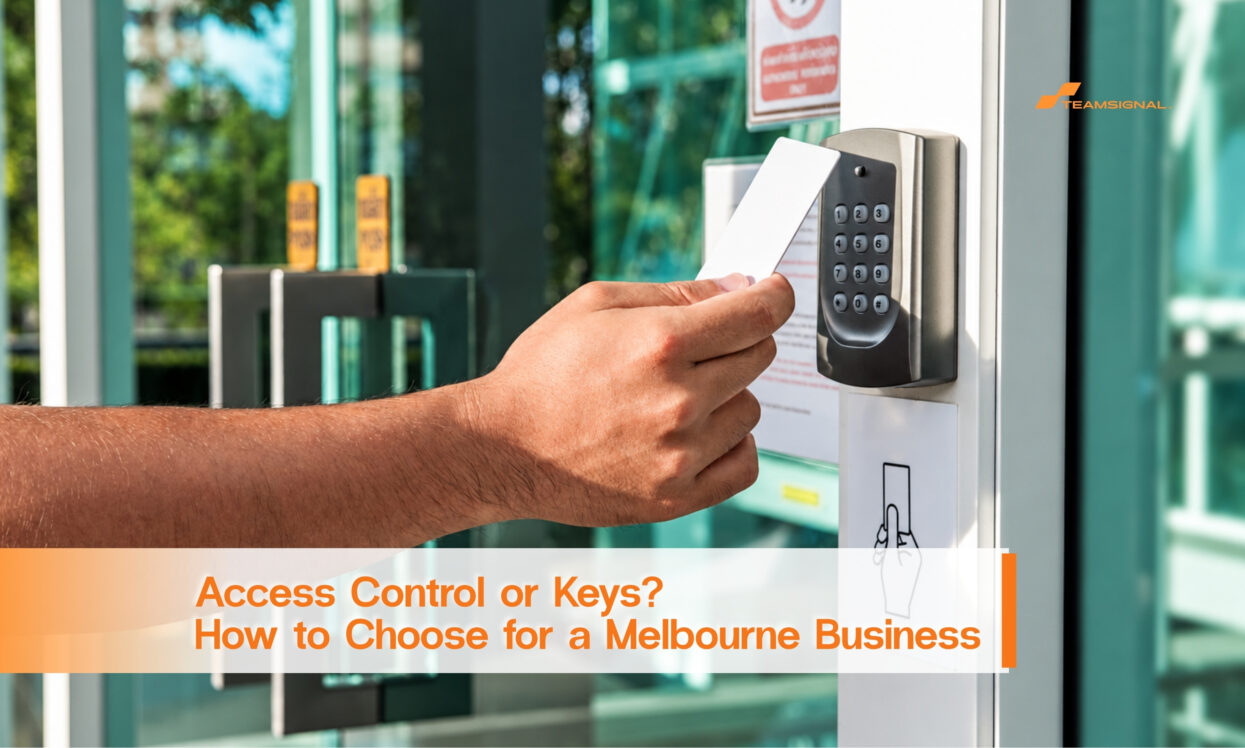
Electronic access control replaces keys with cards, fobs, codes or phone credentials. Each person has their own credential, and a controller decides which doors it opens and when.
The main benefits are control and records.
Individual credentials. Each person has their own, so you know who used what.
Instant removal. When someone leaves, you cancel the credential in minutes. No lock changes.
Time limits. A cleaner can enter from 5pm to 8pm on weekdays, not at 2am on a Sunday.
Door-by-door rules. A storeroom can be limited to three people while the front door is open to all staff.
Event logs. You can review who entered which door, and when.
Our guide on cleaners and after-hours access shows why time limits matter for contractors.
Electronic systems cost more up front. You pay for controllers, readers, door hardware, installation and credentials. There may also be ongoing costs for software, support and replacing lost cards.
Keys carry hidden costs too: rekeying after a loss, time spent chasing keys and the cost of a loss you cannot trace. The fair comparison is not "cheap key versus expensive system". It is the full cost of each over several years.
We don't publish a standard price, because it depends on the number of doors, the type of hardware and the site. A site walk-through gives a real figure.
Use this as a starting point.
Keys may be enough if:
Consider electronic access control if:
A mix often works best. Many sites use electronic access on the main entry and restricted areas, and keys on low-risk doors.
Access control becomes more useful when it works with the alarm. Some systems combine both, so a person's credential can also arm and disarm the alarm, and the log shows who did it.
Inner Range Inception is one example. It brings access control and intruder alarm together on one platform, which suits commercial sites that want both from a single system. Other systems focus on simple, app-based daily use. We match the system to the site, not the other way round. Our guide on choosing the right alarm system explains how that works.
A few practical points save frustration later.
Fire and exit safety. Doors on exit routes must still let people leave safely. Planning this properly is part of the install. Building and fire rules apply, so check the details with a qualified adviser.
Power cuts. Ask what happens to each door if power fails. Good designs have a clear plan for every door.
Network and cyber basics. Connected systems need good passwords and updates, like any connected device.
Who administers it. Someone must add and remove credentials promptly. A system is only as good as its upkeep.
Backup access. Decide how the owner gets in if a reader fails.
Not ready to switch? You can still tighten control.
Keep a key register that lists every key, who holds it and when it was issued. Use stamped, "do not copy" keys where available. Store spares in a locked cabinet. Collect keys on the last day of employment. Review the list every six months.
Combine this with lighting, locks that work and a monitored alarm. Our guide to preventing break-ins lists more of these basics.
After hours is where access control earns its keep. If an alarm triggers, the log shows who entered last and when. That helps keyholders, the monitoring centre and your insurer understand what happened.
It also supports patrols. When an officer visits and finds a door left open, a record of the last credential used helps the owner follow up. In a monitored system, the response process starts from a clear picture, not a guess.
Buying too much. Pay for the doors that matter, not every door.
Skipping the walk-through. Door types, frames and cabling all affect the design.
Sharing credentials. If two people share one card, the log means nothing.
Forgetting contractors. Give them time-limited credentials, and cancel them when the job ends.
Never reviewing the log. The record only helps if someone looks at it, at least after an incident.
Whether you choose keys or access control, ask a few questions first.
How many doors need controlling, and which matter most? Who needs access, and at what times? What happens if a card is lost or a reader fails? Who will manage credentials day to day? Can the system grow if you add staff or another door? What does maintenance involve?
These questions shape the design, so answer them before you talk price. A good installer will ask them too.
Contractors and cleaners often hold the most access with the least oversight. They arrive early, leave late and may work alone.
With keys, you hand over a copy and hope for the best. With electronic access, you can limit the doors and hours, and cancel the credential when the contract ends. That is a quieter, safer arrangement for everyone, and it avoids awkward conversations about who has a key.
For casual and agency staff, short-term credentials work the same way. They are issued for the roster period, then they expire.
You do not have to change every door at once. Many businesses start with the doors that matter most, such as the stock room, the back gate or the main entry. Once the system is working and staff are used to it, they add more doors.
A staged rollout spreads the cost, lets you learn what works and avoids disruption. It also shows early on whether you need extra features such as schedules or alarm integration.
Picture a trade business with a front office, a stock room and a back gate. The owner has six staff, two contractors and a cleaner. Keys have been copied over the years, and nobody is sure how many exist.
The owner installs electronic access on the stock room and back gate, with individual credentials and time limits for the cleaner. The front door stays on a good lock. When a contractor finishes, the credential is cancelled that day.
This is an illustration, not a client story.
Keys are simple and cheap, and for small sites they can be enough. Once the number of people, doors or contractors grows, electronic access control gives you what keys cannot: individual credentials, instant removal, time limits and a record.
If you'd like help working out which suits your site, you can talk to our CCTV and alarm team or get a quote.
Is electronic access control worth it for a small business?
It depends on the number of people and doors. A site with two trusted staff and one door can do well with keys. Once you have contractors, shifts or restricted areas, access control often pays off.
What happens if someone loses an access card?
You cancel that credential and issue a new one. The old card stops working and no lock changes are needed.
Can access control work with my alarm?
Many systems combine them. One credential can arm and disarm the alarm and the log records who did it. Compatibility depends on the products.
What if the power goes out?
It depends on the design. Good systems plan for each door and have a backup, and exit routes must stay safe.
Do I still need keys?
Often yes, for low-risk doors or as a backup. Many sites use a mix.




 1300 893 606